Maria 5 User-guide.
Cloud and Excel Version.
Welcome, thanks for the support.
This staking is for laying.
|
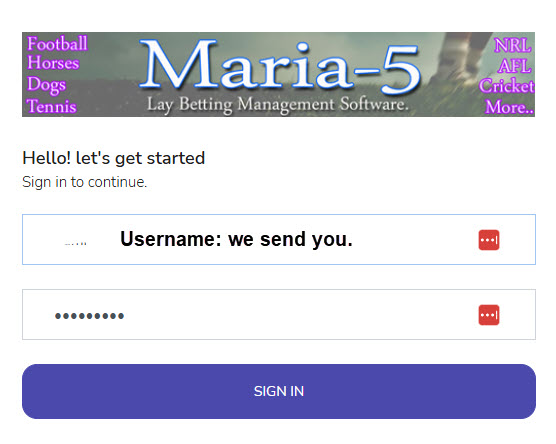
OK, this is a cloud software, so nothing to download, you only need the website to the software, and your username and password. Login Page:
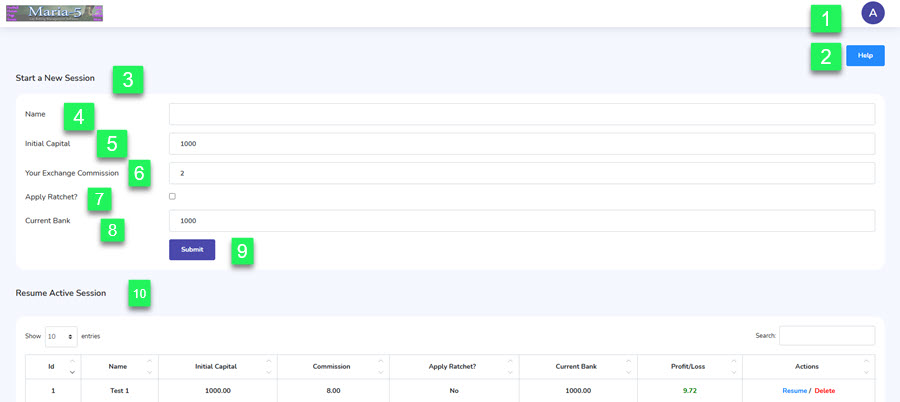
Once you login you arrive at the home page.
On this page you have two options. 1. Start a new session (3), it which case you set the setting for the new session you want to create once set you can not change them. 2. Resume Active Session (10). You can if you wish to continue a prevous session, you can hit resume and you will be taken to that session ready to continue betting. Let's start with the numbered steps.
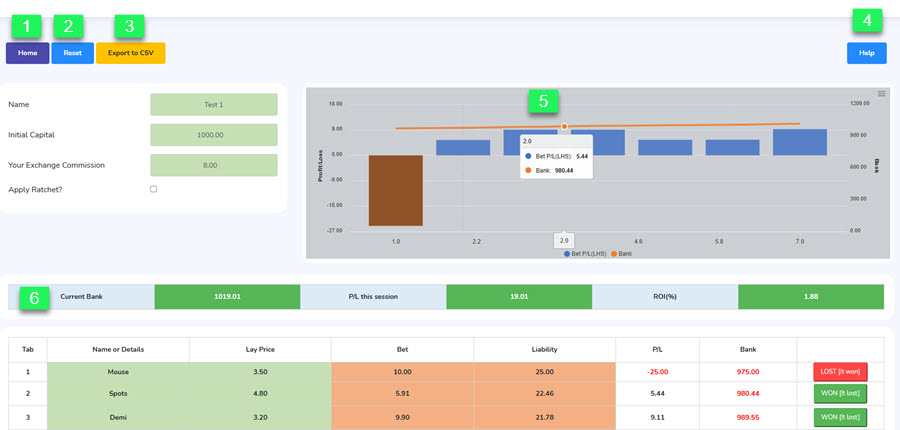
Inside a Session. If you click resume on one of the sessions you have active you see this screen below.
A current session in progress.
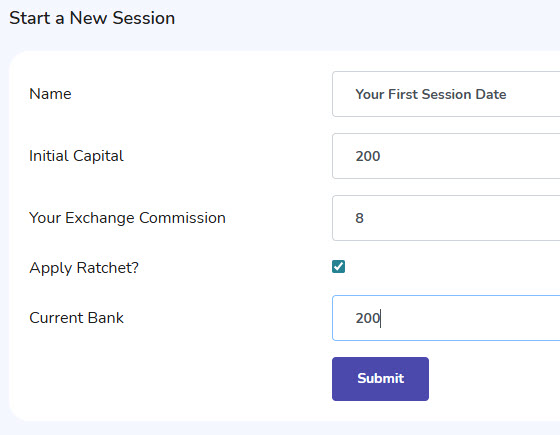
OK, on our bikes, let start our very first session. Let's keep it low key to start while you learn. Below is the setting I suggest you start with.
Apply Ratchet?: Maria preferred to use the ratchet. • If the Apply Ratchet option is selected (Ticked) the Current Bank is updated with profits and losses day-by-day. All bets are calculated from the Current Bank balance at the start of a new session. • In other words, bets are increased or decreased in proportion to the Current Bank on a daily basis – not race-by-race. • This option is suitable for those who want to use Maria-5 and lay their bets in one hit well in advance of the races, such as before going to work or during a lunch break. Maria preferred this option. She clearly states: This means that at the end of each day, the next day's "current bank" figure is known. 6 For example, if there's a good start and the £3,000 bank grows, then the stakes are worked out as proportion of the new higher figure, and increase slightly the next day. This may sound insignificant but it makes a huge difference to the results.
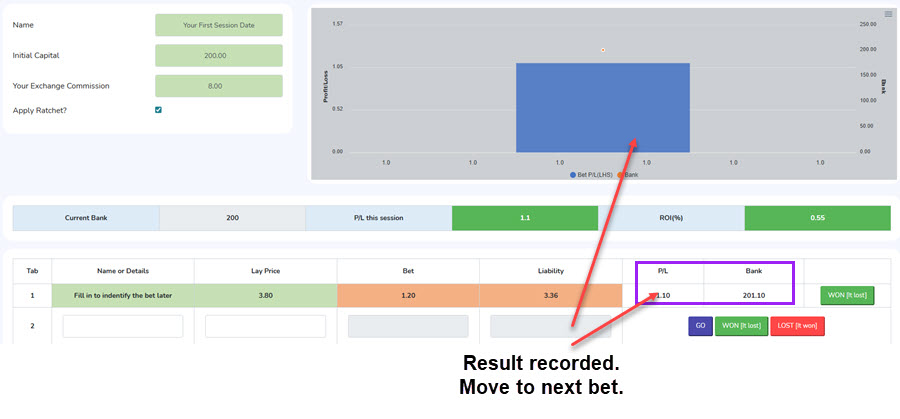
OK, let's look at the 1st race under this new session.
You can leave a session and come back once you know the result, great if you are following football bets. Just make sure you hit GO on the bet before returning home to continue another session or starting a new one. Once the result is known, return to the session and fill in the result. That is how you use this software. It gives organisation and a clear picture of how your bets are going. And allows you to run multiple sessions, like horses in different countries, dogs and sports. The Settings:The bet calculations are made according to Maria’s Staking Rules, shown as follows: Laying is in three clearly defined price ranges. • If the betting exchange price available is less than 3.5 (5/2) the lay stake is 1% of your betting capital. • If the exchange price is between 3.6 and 7.4, the lay stake is 0.6% of your betting capital. • If the exchange price is between 7.5 and 11 (don’t lay anything higher than 10/1), the lay stake is 0.4% of your betting capital.
Examples (based on a 1,000 unit bank):Prices below 3.5: lay to 1% of bank – backer’s stake 10 (your liability under 25) Prices from 3.6 to 7.4 inclusive: lay to 0.6% of bank – potential winnings 6 (your liability 15.60 to 38.40) Prices from 7.5 to 11 inclusive: lay to 0.4% of bank – potential winnings 4 (your liability 26 to 44). The smaller your starting bank the smaller your initial winnings. But as your betting capital grows, you will stake and win more whilst staying within the rules. NB: Under the rules, anything above 11.00 [10/1] is left alone. Why? Think “Liability…” Tools..OK, what else may help is our Easy Bet Bot Deluxe. I strongly recommend Easy Bet Bot deluxe. Why?
Visit: www.easybetbot.com Tutorial Software Cloud.
Excel Version.Video Tutorial.
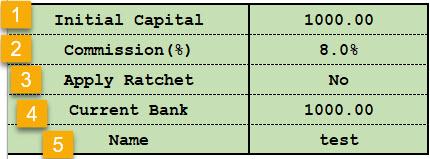
Setting Up Spreadsheet.There are 10 Worktabs (sessions) you can individually setup for different betting areas, like Australian horse racing, Football, Greyhounds etc.
Setting up and worktab.
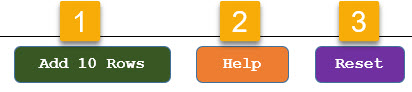
1. Add 10 rows gives you more rows to continue entering more races. 2. Takes you to the user guide. 3. Reset clears the worksheet but leaves the settings.
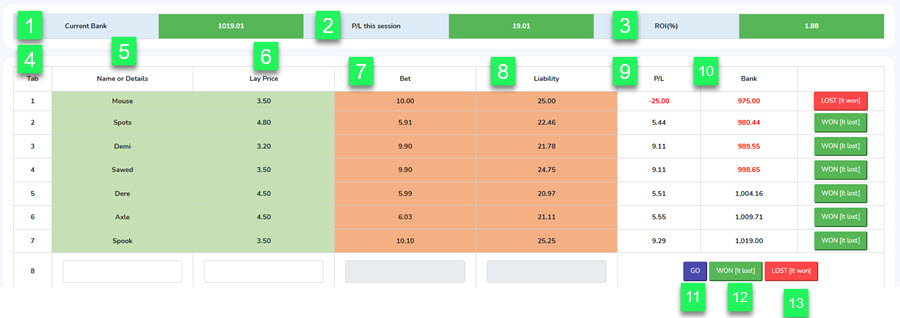
4. Current Bank: This is the figure NO Ratchet is basing its staking on. 5. The Profit or Loss for this worktab 6. Return on The bank as a percentage.
7. Tab: Auto fill bet numbers 8. Name or Detail: so you can identify bet when you come back to record results. 9. Lay price: This is the odds you have placed the bet on.(Auto Fill). 10: Bet: Amount you are staking on the race. (Auto fill) 11. Liability: Should the bet lose, this is the amount you will lose from your account. (Auto Fill) 12. P/L : The profit or loss for the bet. (Auto Fill). 13: Bank: This is the Current Bank figure. (Auto Fill) 14. Win/Loss: You enter (dropdown menu) W = bet was a winner. L= bet was a losing bet.
Cheers
|